· Giraffe
Blogging on Shopify for Singapore stores

Product pages answer "what is it?". A blog answers the questions shoppers ask before they buy: how to use it, which one suits them, what to gift. For a small Singapore store, a few useful posts can bring search traffic that ads would otherwise have to buy. This guide covers Shopify's blog tools, SEO settings and what to write.
Shopify's blog tools
According to Shopify's blog setup page and blog posts page:
- Every online store starts with a blog called News. Add more under Content > Blog posts > Manage blogs, for example "Guides" and "Recipes".
- Posts support images, links, tables and embedded video, plus a featured image, excerpt and tags.
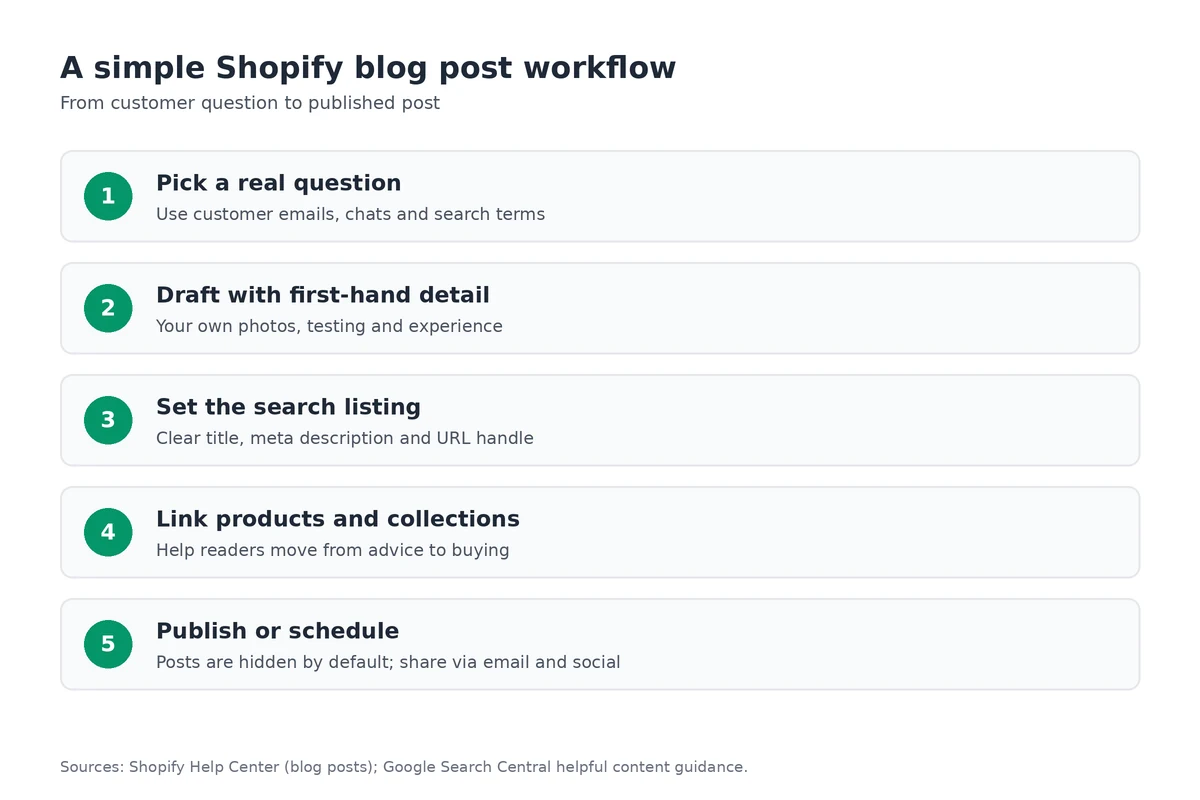
- New posts are hidden by default. Publish straight away or schedule a date and time.
- Authors must be store staff with the right permissions.
- Sidekick can draft titles and content. Edit anything it writes.
Add the blog to your menu so people can find it; see our collections and navigation guide.
Comments
Comments are turned off for new blogs (Shopify). You can allow them with moderation or publish them automatically. Moderation is safer: it keeps spam and unverifiable health claims off your site.
SEO for each post
Each post has a search engine listing: page title, meta description and URL handle. If you change the handle later, add a redirect. Google's Search Essentials say to use the words people search for in the title, main heading, alt text and link text. Link from posts to the products and collections they mention. More in our SEO checklist.
Write for people first
Google's helpful content guidance and its 2022 update note say its ranking systems aim to reward original, people-first content and warn against mass-produced pages made mainly for search traffic, summaries that add little, and writing to a target word count. In practice:
- Show first-hand experience: your own photos, testing and customer questions.
- Answer one question fully per post.
- If you use AI drafts, check facts and add what only you know.
- Keep product claims honest; see our product pages guide.
A Singapore content calendar
- Jan–Feb: Chinese New Year gift guides and delivery cut-offs.
- Hari Raya Puasa and Deepavali: gift and occasion guides (dates move each year).
- Mid-year: Great Singapore Sale and 6.6 or 7.7 campaign posts.
- Sep–Dec: 9.9, 11.11, 12.12 and Christmas gift guides; see our discounts guide.
- All year: how-to, care and comparison posts that stay useful.
Publish on your own domain so the links you earn build your brand; see our custom domain guide. Share new posts with subscribers through email.
Frequently asked questions
Does Shopify have a built-in blog?
Yes. Every online store has a default blog called News. You add posts under Content > Blog posts and can create more blogs under Manage blogs.
Are comments turned on by default?
No. Comments are off for a new blog. You can keep them disabled, allow them pending moderation, or publish them automatically.
Can I schedule blog posts?
Yes. New posts are hidden until published. In the Visibility section you can publish right away or pick a date and time.
What should a Singapore store blog about?
Answer real customer questions: how to use or care for products, gift guides for CNY, Hari Raya, Deepavali or Christmas, sizing, and delivery cut-offs. Google says it rewards helpful, people-first content, not posts written mainly for search engines.
Want to try the blog tools first? A Shopify trial lets you set up a blog, draft posts and preview them on your theme.
References
Rules, features and fees change, so check the live page before you act on anything here.
- Manage blogs for your online store, Shopify Help Center. Accessed 25 October 2026.
- Adding and managing blog posts, Shopify Help Center. Accessed 25 October 2026.
- Managing comments on blog posts, Shopify Help Center. Accessed 25 October 2026.
- Creating helpful, reliable, people-first content, Google Search Central. Accessed 25 October 2026.
- Google Search Essentials, Google Search Central. Accessed 25 October 2026.
- What creators should know about Google's August 2022 helpful content update, Google Search Central Blog. Accessed 25 October 2026.